Workspace approval
Once your email and domain are verified, a Sectigo platform reviewer decides whether to provision your workspace. Verification proves ownership; approval is the separate, human decision that creates your workspace and makes your account usable.
What you need
Nothing further. Your request enters review automatically as soon as the verification page shows Domain ownership verified.
What the reviewer sees
Reviewers work from the details you supplied at sign-up and the results of verification:
| Detail | Source |
|---|---|
| Organisation name and country | Sign-up form |
| Enterprise domain (verified) | DNS TXT record |
| Contact name and work email (verified) | Sign-up form and email confirmation |
| Registration ID and expiry | Your request |
The reviewer either approves the request and reserves a tenant ID for your workspace, or rejects it with a reason code. Reviews require the reviewer to have signed in with MFA within the last ten minutes.
Timing
A request that is not decided before it expires (seven days after you submitted the sign-up form) expires automatically. If that happens, sign up again.
There is no published service-level target for reviews. If your request is time-sensitive, contact your Sectigo representative and quote your registration ID (shown after sign-up, for example reg_3f6c2a91-…).
How to tell when your workspace is ready
Sectigo Edge does not send an approval email. To check, try signing in:
- Go to the sign-in page and keep Email & password selected.
- Enter your Work email (your username) and Password, then select Sign in with email & password.
- Read the result:
- If your workspace is still pending, you see the notice below and stay on the sign-in page.
- If your workspace is approved, you are taken straight to multi-factor authentication setup. Continue with First login & MFA.
While the request is pending, the sign-in page shows:
Your credentials are valid. Complete email and domain verification, then wait for workspace approval.
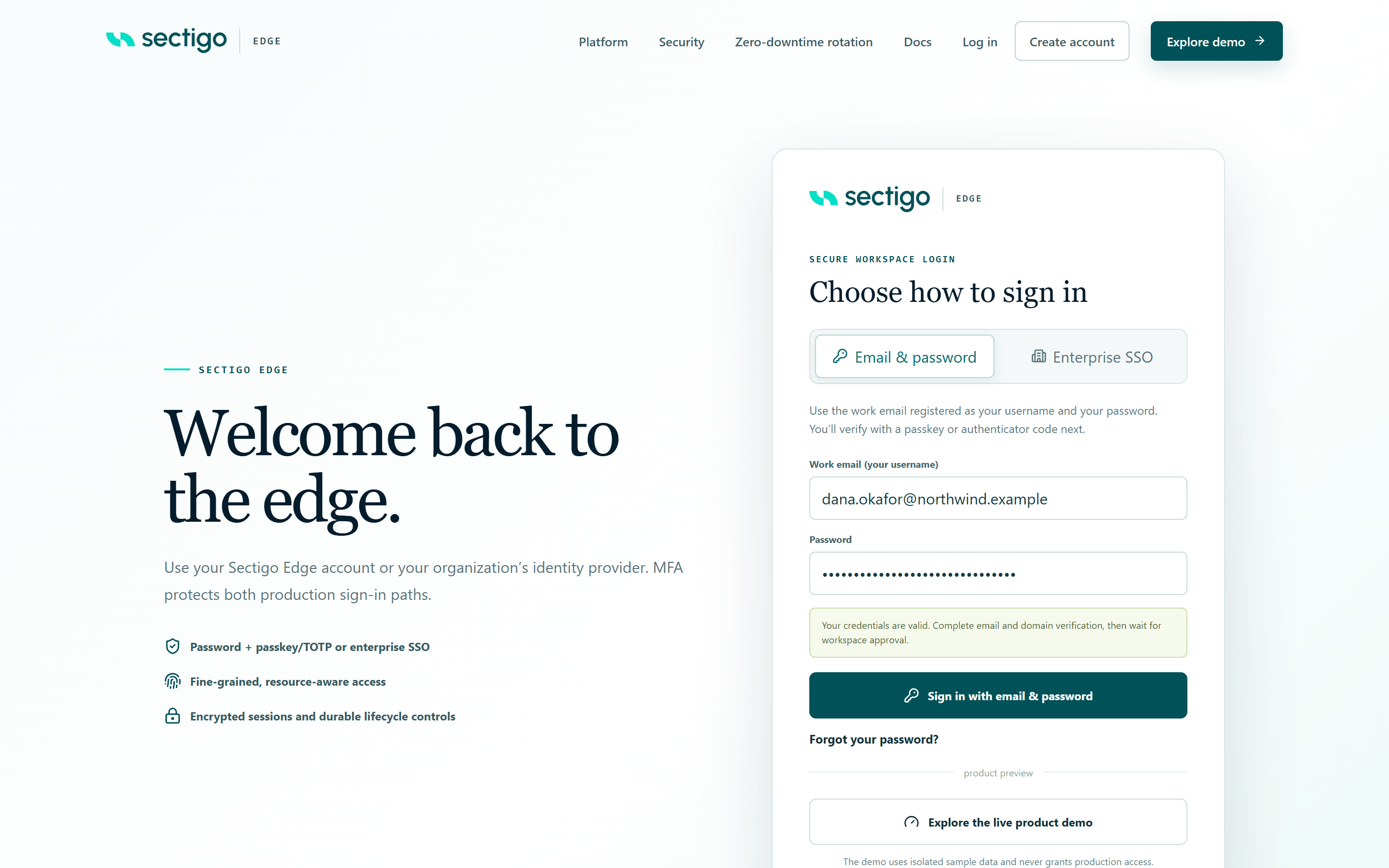
This message means your password is correct. If you have not finished email or domain verification yet, do that first using the link in your verification email; see Verify email & domain.
The same notice is shown if a request was rejected. If you have verified both email and domain and still see this notice well after you expected a decision, contact your Sectigo representative with your registration ID.
What approval grants
Approval:
- Creates your workspace with the reserved tenant ID.
- Activates your account as the workspace's first Tenant Admin.
- Lets you sign in and enrol MFA.
Approval does not:
- Connect a certificate authority or grant any certificate-signing permission. You connect a CA yourself, and signing remains governed separately.
- Enrol any Mesh Nodes. See Mesh Nodes.