CAs & signing
The CAs & signing screen is where you connect the certificate authorities that sign your certificates. You can connect Sectigo SCM or bring your own issuing CA. CA private keys never enter the Sectigo Edge application plane.
ConsoleCAs & signingWhat it's for
- Connect a Sectigo SCM account, or import an existing issuing CA through a one-time signer import session.
- Set the SCM organization and certificate type that an SCM connector enrolls under.
- See each connector's status, key reference and revocation list publication.
- Start a replacement ceremony to rotate a connector.
What you see
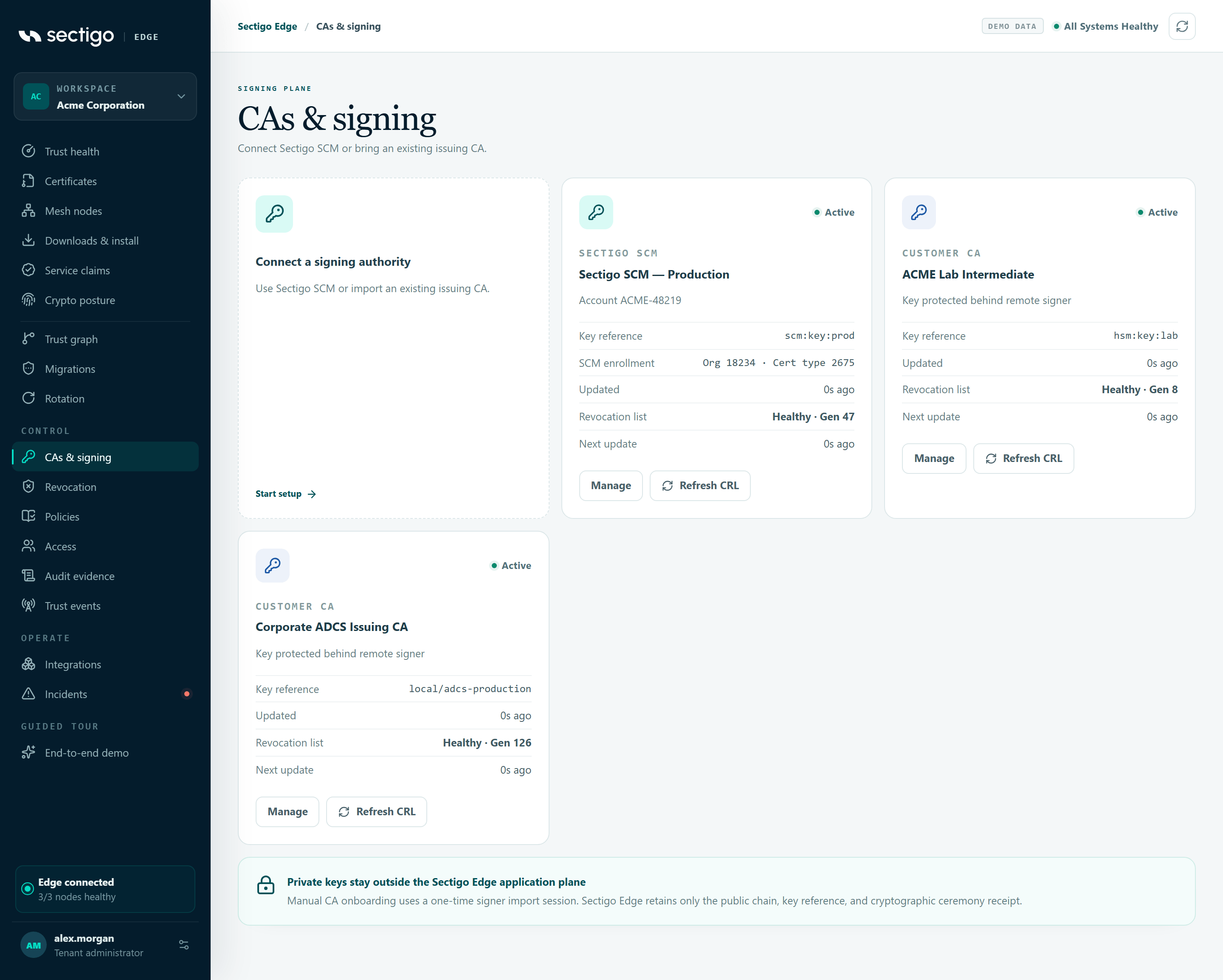
The first tile, Connect a signing authority, starts setup. Each connected authority has a card:
| Field | Content |
|---|---|
| Status | The connector status: pending, active, degraded or disabled. An SCM connector missing its enrollment IDs shows incomplete. |
| Type | SECTIGO SCM or CUSTOMER CA. |
| Name | The connector name you gave it. |
| Account line | For SCM: Account followed by the SCM account, or SCM account not recorded. For your own CA: Key protected behind remote signer. |
| Key reference | The protected signer's reference to the CA key, or Pending. |
| SCM enrollment | SCM only. Org N · Cert type M when complete; otherwise Missing organization and certificate type IDs, Missing organization ID or Missing certificate type ID. |
| Updated | When the connector last changed. |
| Revocation list | CRL status and generation, for example healthy · gen 4, or awaiting first publication. |
| Next update | When the next CRL is due, or not published. |
Each card has Manage and Refresh CRL. For a CA whose revocation list is published by your own local CA (status external), the button reads Local CA managed and is disabled.
Manual CA onboarding uses a one-time signer import session. Sectigo Edge retains only the public chain, the key reference and the cryptographic ceremony receipt.
Connect Sectigo SCM
Have these ready from your SCM account:
| Field | Where to find it |
|---|---|
| SCM organization ID | Shown for your organization under Organizations in SCM. |
| SCM certificate type ID | The ID of the SSL certificate type (profile) to enroll, from your SCM certificate settings. |
Every certificate this connector enrolls is requested under this organization and certificate type. Both must be positive whole numbers.
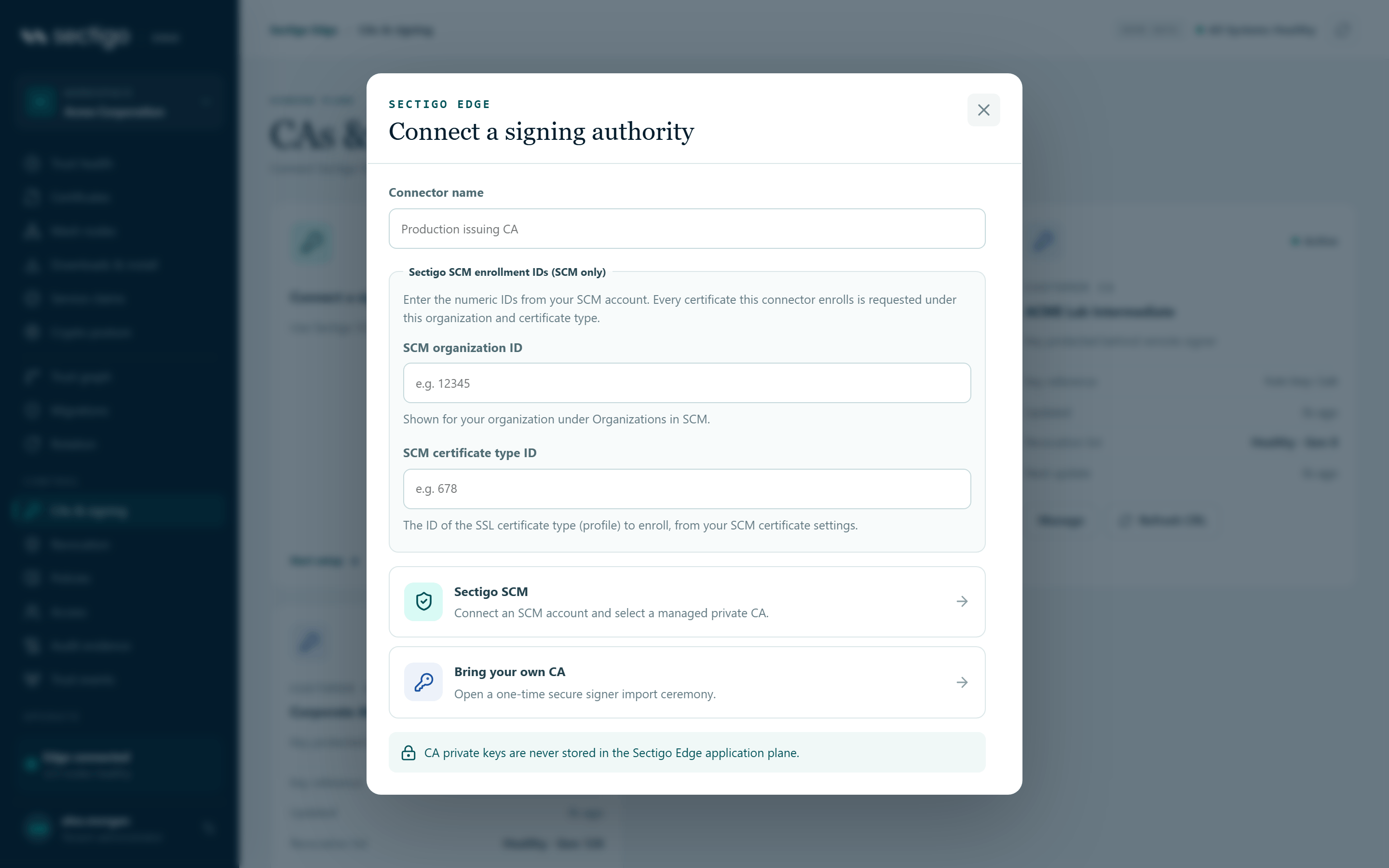
- Select Connect a signing authority.
- Enter a Connector name of at least three characters, for example
Production issuing CA. - Under Sectigo SCM enrollment IDs (SCM only), enter the SCM organization ID and SCM certificate type ID.
- Select Sectigo SCM.
- You are redirected to the secure connection session to authorize the SCM account and select a managed private CA. Complete it there.
When the session completes without a redirect, the console shows Secure CA connection session created.
The new connector then needs the Sectigo SCM integration enabled before it is used. See Configure the SCM integration.
Bring your own CA
- Select Connect a signing authority.
- Enter a Connector name of at least three characters. Leave the SCM ID fields empty; they apply only to SCM.
- Select Bring your own CA: Open a one-time secure signer import ceremony.
- You are redirected to the import session. Follow its instructions to import the CA into the protected signer.
Bring-your-own CA connectors are also what the Microsoft ADCS integration uses to verify certificates returned by your Windows node. See Microsoft ADCS.
Manage a connector
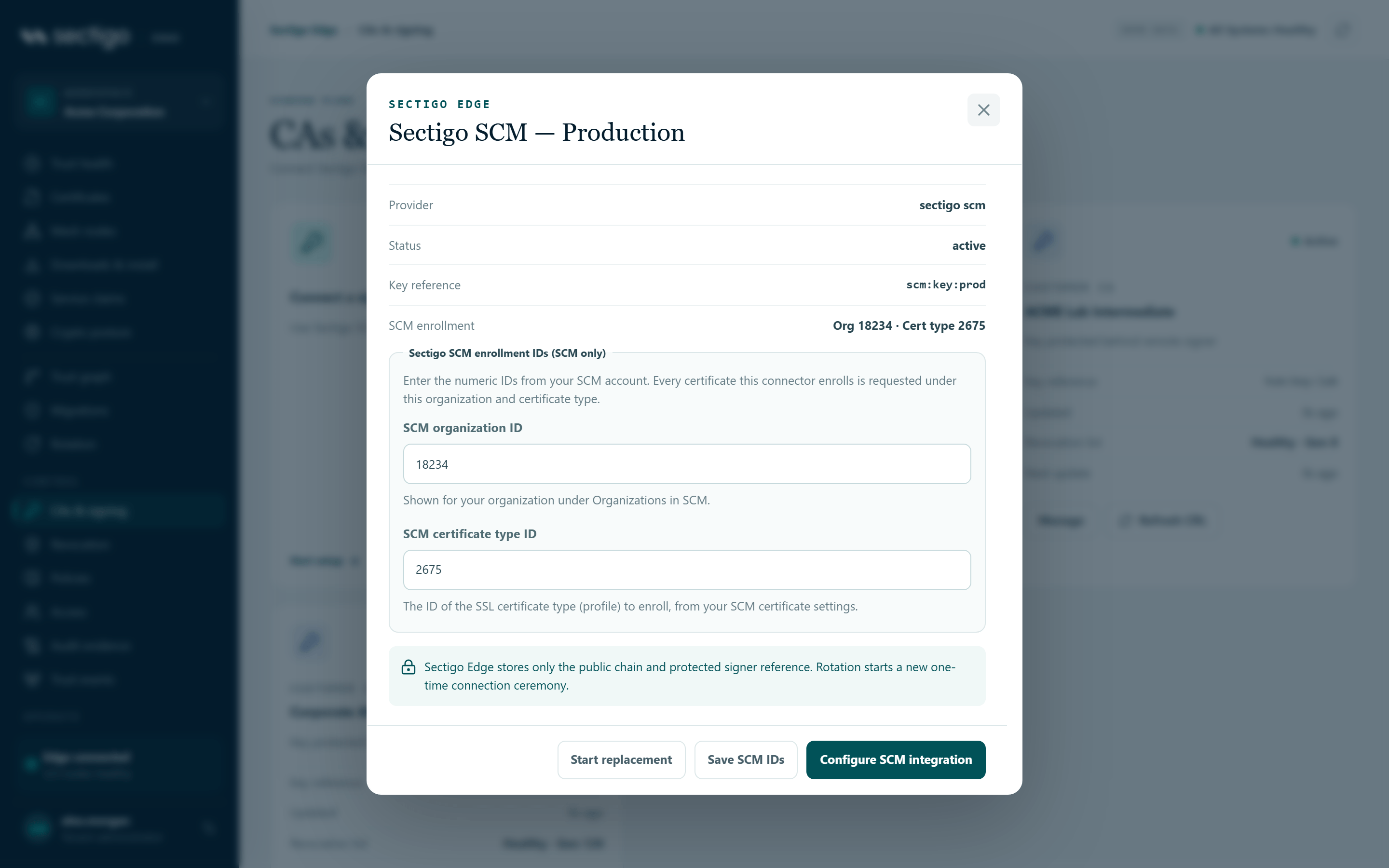
Select Manage on a card. The dialog, titled with the connector name, shows Provider, Status, Key reference and, for SCM, SCM enrollment.
Fix an incomplete SCM connector
If an SCM connector is missing either ID, the dialog warns:
This connector is incomplete. Its signing profiles are not published to the protected signer until both SCM IDs are set.
- Select Manage on the card marked
incomplete. - Enter the SCM organization ID and SCM certificate type ID.
- Select Save SCM IDs.
The console confirms: SCM enrollment IDs saved. The signer picks them up at the next registry publication.
Configure the SCM integration
In the manage dialog for an SCM connector, select Configure SCM integration. This opens the Sectigo SCM card on Integrations with its configuration open, where you choose the Active SCM connector and enable it.
Replace (rotate) a connector
Select Start replacement. This opens Connect a signing authority again. Rotation always starts a new one-time connection ceremony; Sectigo Edge stores only the public chain and protected signer reference.
Refresh the revocation list
Refresh CRL opens the Publish a new revocation list dialog. See Revocation.
Reference: validation messages
| Message | Meaning |
|---|---|
| Enter a descriptive connector name. | The name is shorter than three characters. |
| Enter the SCM organization and certificate type IDs before connecting Sectigo SCM. | One or both SCM IDs are missing or invalid. |
| Enter the numeric SCM organization ID (a positive whole number). | The organization ID is not a positive whole number. |
| Enter the numeric SCM certificate type ID (a positive whole number). | The certificate type ID is not a positive whole number. |
Permissions
| Action | Roles |
|---|---|
| View connectors | Every role |
| Connect, replace, or save SCM IDs | Tenant Admin. Requires MFA within the last ten minutes. |
| Refresh CRL | PKI Operator, Tenant Admin. Requires MFA within the last ten minutes. |
See also the Sectigo SCM integration guide.
Troubleshooting
| Symptom | Cause and fix |
|---|---|
A card shows incomplete | An SCM connector is missing its organization or certificate type ID. Its profiles are not published to the signer. Use Manage to add them. |
| Key reference shows Pending | The connection ceremony has not completed. Finish the session, or start a replacement. |
| An error appears in the connect dialog | The session could not be created. The message comes from the service; a common cause is MFA older than ten minutes. |
| Refresh CRL reads Local CA managed | Your local CA (for example ADCS) publishes this CRL through its Windows node. You cannot refresh it from the cloud. |