Certificates
The Certificates screen is your inventory of every managed identity: what it is, which profile issued it, which algorithm it uses, how it is deployed and when it expires.
ConsoleCertificatesWhat it's for
- Find a certificate by name, serial number or profile.
- Filter the inventory by signature algorithm and lifecycle state.
- Start a new certificate request.
- Revoke a certificate immediately, optionally failing over to a healthy standby first.
What you see
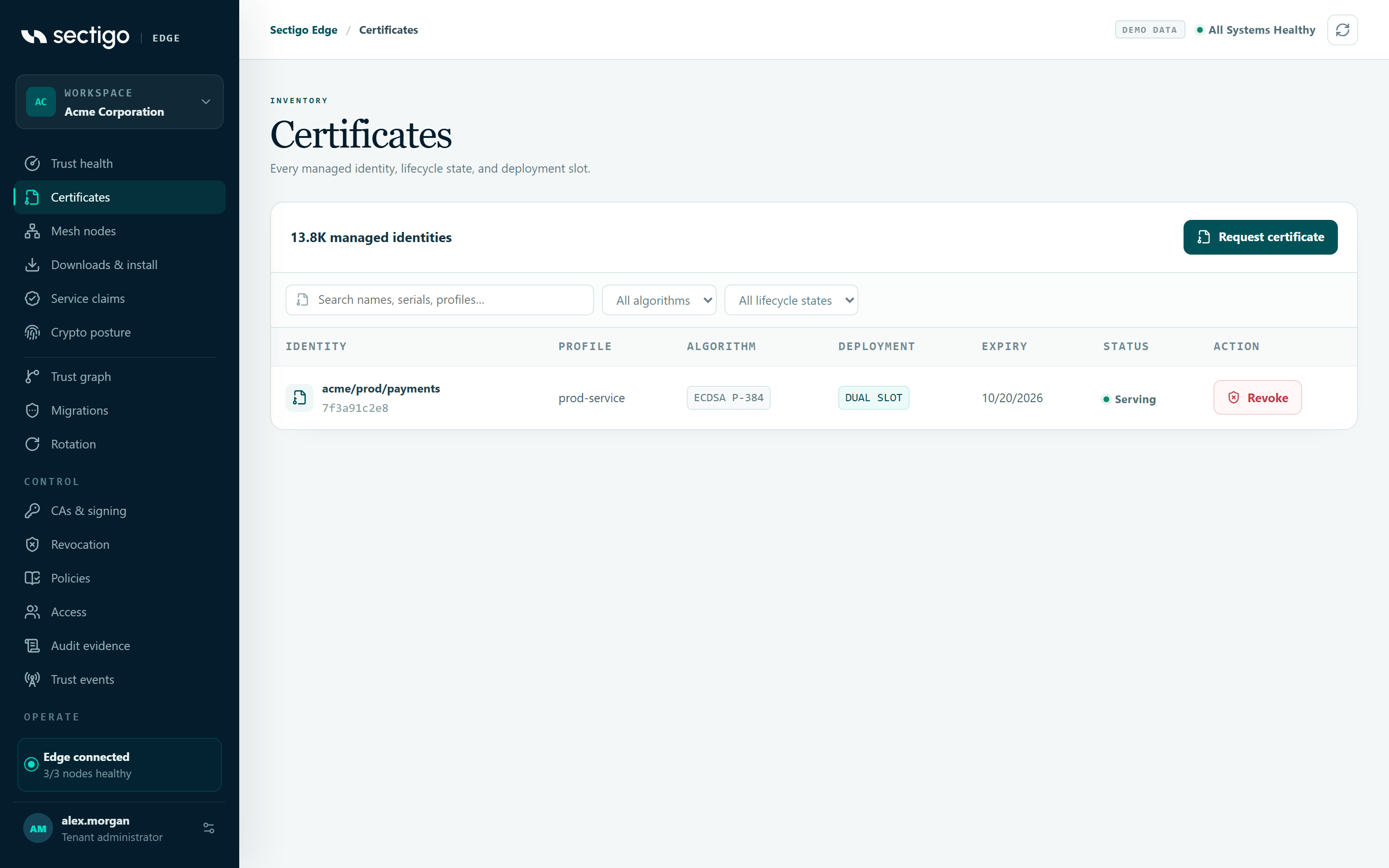
The card title shows the total, for example 12 managed identities, and a Request certificate button.
Filters
| Control | What it does |
|---|---|
| Search names, serials, profiles… | Matches the identity (endpoint ID), the profile ID or the active certificate's serial number. Not case-sensitive. |
| Algorithm | All algorithms, or one of the algorithms actually present in your inventory, for example ECDSA P-256, ECDSA P-384, RSA-PSS 3072 or Hybrid P-384 + ML-DSA-65. |
| Lifecycle state | All lifecycle states, Serving, Staged, Draining or Revoked. Filters on the state of the active slot. |
The algorithm shown for each certificate is the one recorded on the transaction that issued its active certificate. A certificate with no matching transaction shows — and only appears under All algorithms.
If nothing matches, the table shows No managed identities match these filters.
Table columns
| Column | Content |
|---|---|
| Identity | The endpoint identity (the spiffe:// prefix is hidden) and the active certificate's serial number. |
| Profile | The workload profile that governs the certificate. |
| Algorithm | Signature algorithm, or —. |
| Deployment | Rotation mode: dual slot or in place. |
| Expiry | Expiry date of the active certificate, or —. |
| Status | Lifecycle state of the active slot: serving, staged, draining, retired, revoked, or pending when there is no active certificate. Shown green when the active certificate reports healthy. |
| Action | Revoke. Disabled when there is no active certificate or it is already revoked. |
Request a certificate
Certificates are not issued from a form in the console. Workloads request them locally, through a Mesh Node, so that both trust domains can approve the exact request. Request certificate shows you where to go.
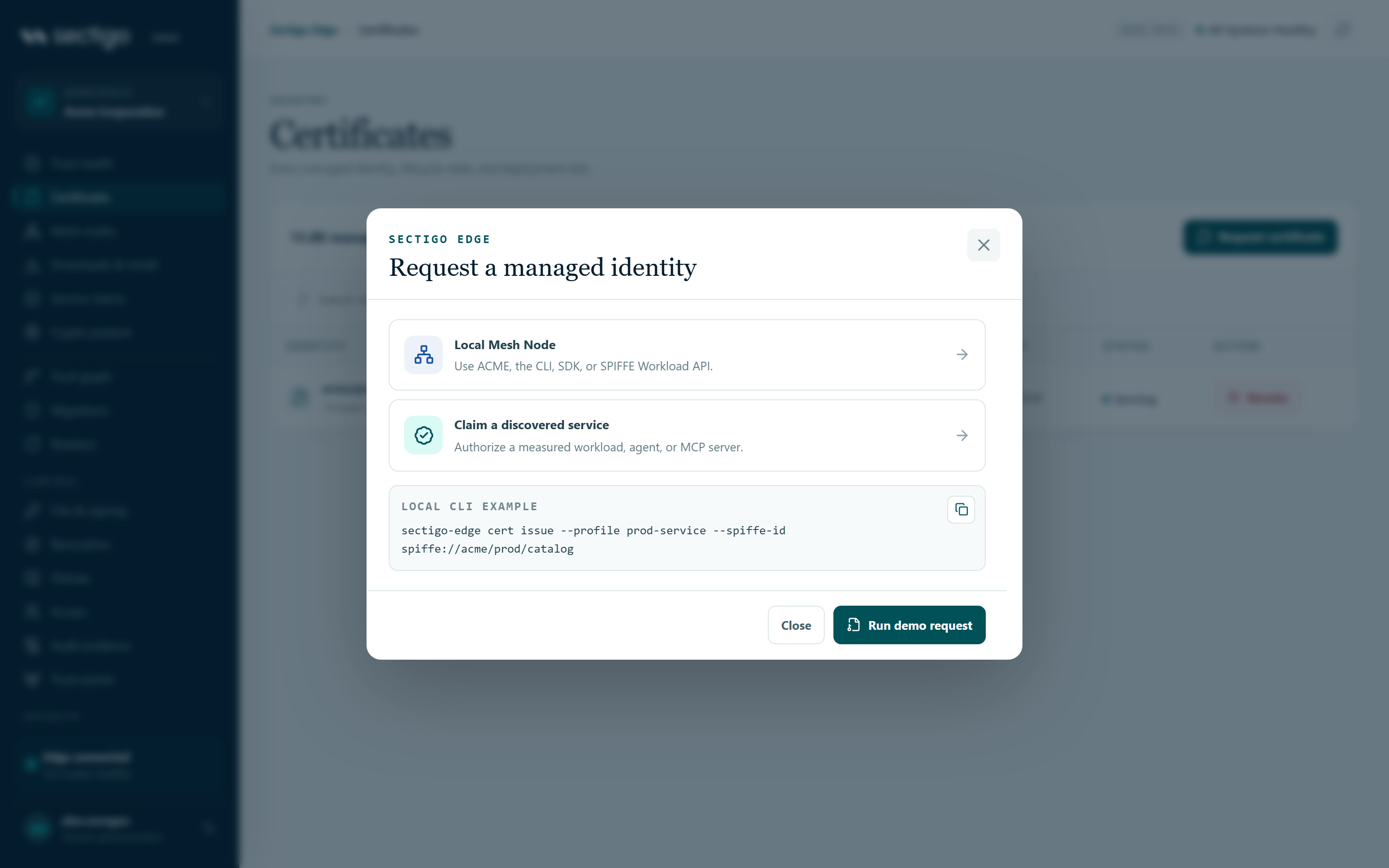
- Select Request certificate.
- In Request a managed identity, choose a path:
- Local Mesh Node: Use ACME, the CLI, SDK, or SPIFFE Workload API. Opens Integrations, where you enable ACME, SPIFFE or a deployment adapter on a node.
- Claim a discovered service: Authorize a measured workload, agent, or MCP server. Opens Service claims.
- Or copy the LOCAL CLI EXAMPLE with the copy button.
- Select Close.
The CLI example is built from your active policy. It uses the first workload profile that has a SPIFFE path prefix and appends my-service to that prefix:
sectigo-edge cert issue --profile prod-service --spiffe-id spiffe://acme/prod/my-service
If your policy has no workload profile with a SPIFFE prefix, the example shows placeholders instead: sectigo-edge cert issue --profile <profile-id> --spiffe-id <spiffe-id>.
The operator CLI shipped with the current release (sectigo-edge) provides the status, integrations, discover, events, acme-eab-create, adcs-recover, mcp and version commands. It does not list a cert issue command. Until it does, request certificates through ACME, the SPIFFE Workload API, an SDK or a deployment integration. See Operator CLI.
In the demo workspace the dialog also has Run demo request, which adds a simulated certificate to the inventory.
Revoke a certificate
Revocation is a one-party safety action: one authorized person can do it, and it cannot be undone. New issuance still needs both trust domains.
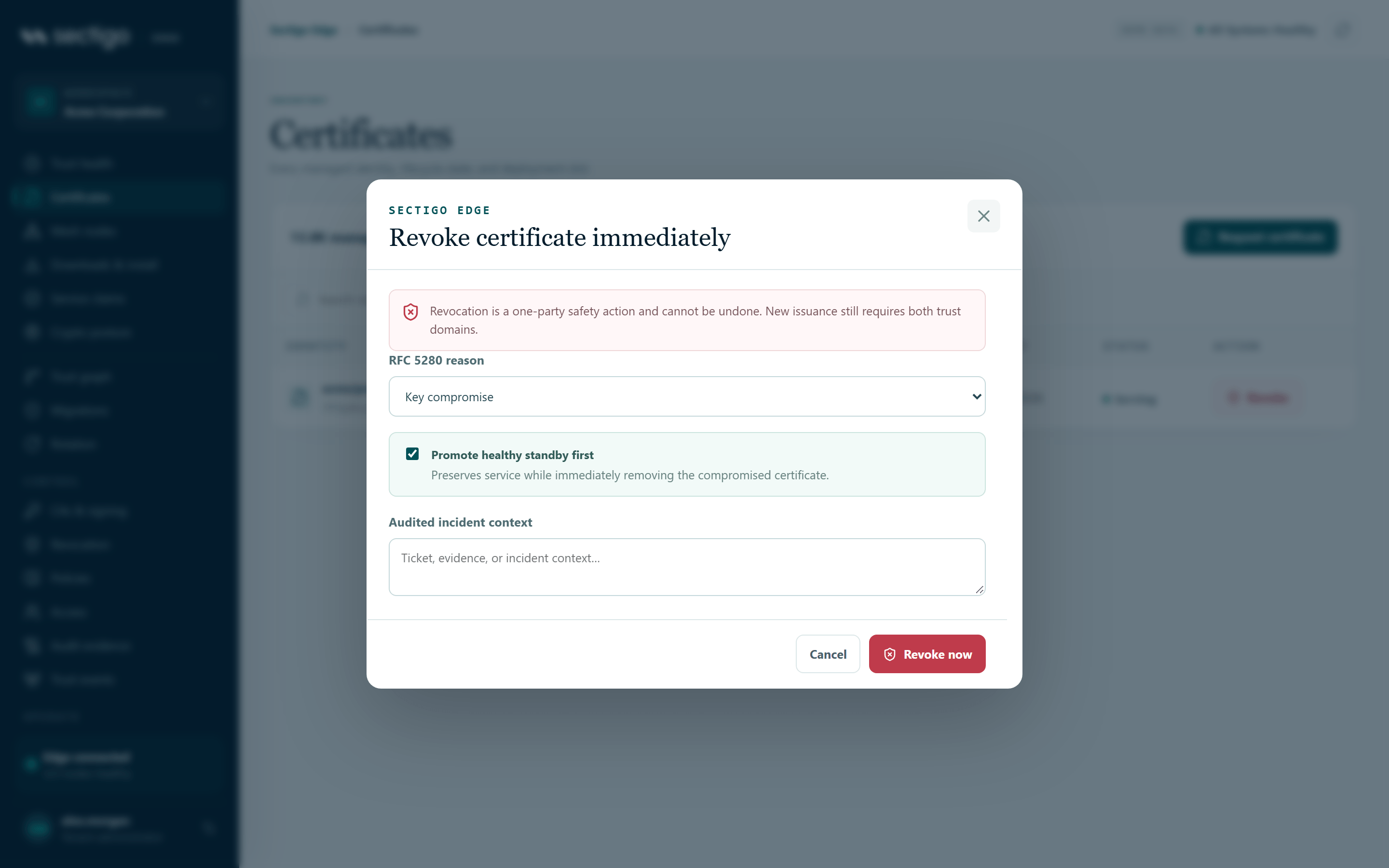
- Find the certificate and select Revoke in its row.
- In Revoke certificate immediately, choose the RFC 5280 reason.
- If the certificate set has a healthy standby, decide whether to keep Promote healthy standby first selected (it is selected by default).
- In Audited incident context, enter a ticket number, evidence or other context.
- Select Revoke now.
Revoke dialog fields
| Field | Values |
|---|---|
| RFC 5280 reason | Key compromise (default), Superseded, Cessation of operation, Affiliation changed, Privilege withdrawn, Certificate hold, Unspecified |
| Promote healthy standby first | Only shown when the standby slot is healthy. Preserves service while immediately removing the compromised certificate. |
| Audited incident context | Free text stored with the revocation in the audit record. |
What happens next
The console confirms the outcome with one of these messages:
| Message | Meaning |
|---|---|
| Standby promoted and compromised certificate revoked without downtime. | Failover was selected and the standby was healthy. |
| Certificate revoked. Existing trust should be removed immediately. | The certificate was revoked with no failover. Make sure the service stops using it. |
| Revocation is durably queued to the assigned Windows node. ADCS completion will update inventory and failover automatically. | The certificate was issued through Microsoft ADCS; the Windows Mesh Node completes revocation locally. |
The revoked serial is then published in the CA's revocation list and OCSP responses. See Revocation.
Permissions
| Action | Roles |
|---|---|
| View the inventory | Every role |
| Request a certificate through a node or claim | Application Owner, PKI Operator, Tenant Admin (enforced when the workload requests issuance) |
| Revoke | PKI Operator, Tenant Admin. Requires MFA within the last ten minutes. |
Troubleshooting
| Symptom | Cause and fix |
|---|---|
| Revoke is greyed out | The set has no active certificate, or it is already revoked. |
| Promote healthy standby first is not offered | The set has no standby, or the standby is not healthy. Revoking will leave the service without a valid certificate until a replacement is deployed. |
| Revocation fails with a step-up or MFA message | Your MFA is older than ten minutes. Sign in again and retry. |
A certificate shows — for algorithm | The console could not find the issuing transaction for its active certificate. |