Trust events
The Trust events screen explains and previews the signed events your services can subscribe to, so they can react quickly to changes such as a promoted certificate or a new policy version.
ConsoleTrust eventsWhat it's for
- See which recent audit facts are eligible to be published as trust events.
- Understand what an event can and cannot do.
- Get started subscribing from an SDK or the CLI.
What you see
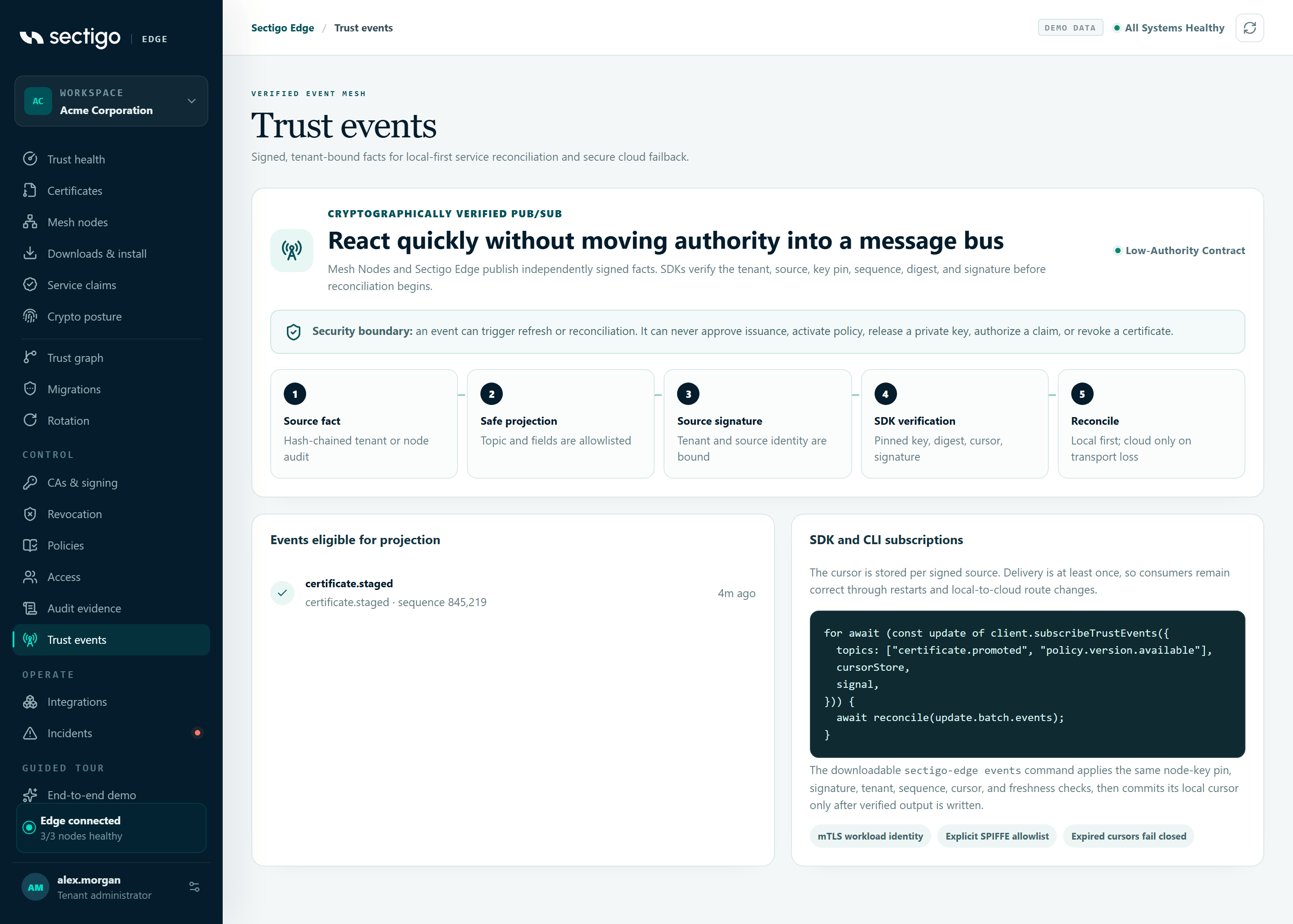
The top card shows how many distributable facts are in the current audit window, and the security boundary.
An event can trigger refresh or reconciliation. It can never approve issuance, activate policy, release a private key, authorize a claim or revoke a certificate.
How each subscriber verifies an event
| Step | Name | What happens |
|---|---|---|
| 1 | Source fact | The event comes from the hash-chained tenant or node audit. |
| 2 | Safe projection | Only allowlisted topics and fields are published. |
| 3 | Source signature | The tenant and source identity are bound into the signature. |
| 4 | SDK verification | The subscriber checks the pinned key, digest, cursor and signature. |
| 5 | Reconcile | The subscriber reconciles locally first, and uses the cloud only if local transport is lost. |
Events eligible for projection
Recent audit events that map to a trust-event topic. Each row shows the topic, the source audit event type and its sequence number, and how long ago it happened. If there are none, the card shows No distributable facts are present in the current audit window.
| Audit event | Published topic |
|---|---|
capability.observed | capability.observed |
service.registration.activated | service.claimed |
policy.activated | policy.version.available |
certificate.staged | certificate.staged |
certificate.promoted | certificate.promoted |
issuance.paused | incident.issuance_paused |
issuance.resumed | incident.issuance_paused |
SDK and CLI subscriptions
The cursor is stored per signed source. Delivery is at least once, so consumers stay correct through restarts and when the route changes between the local node and the cloud.
The console shows this SDK example:
for await (const update of client.subscribeTrustEvents({
  topics: ["certificate.promoted", "policy.version.available"],
  cursorStore,
  signal,
})) {
  await reconcile(update.batch.events);
}
The downloadable CLI's events command applies the same node-key pin, signature, tenant, sequence, cursor and freshness checks, and commits its local cursor only after verified output is written. The Watch verified local events command on Downloads & install looks like this:
sectigo-edge -url https://127.0.0.1:9443 -ca /etc/sectigo-edge/ca.pem \
-cert /run/spire/svid.pem -key /run/spire/svid-key.pem \
-tenant "$SECTIGO_EDGE_TENANT" \
-node-spki /etc/sectigo-edge/node-public.pem \
-node-spki-sha256 "$SECTIGO_EDGE_NODE_SPKI_SHA256" \
-event-topics certificate.promoted,policy.version.available \
-watch events
Subscribers authenticate with an mTLS workload identity on an explicit SPIFFE allowlist. Expired cursors fail closed. See Operator CLI.
Permissions
The list of eligible events comes from the audit record, so you need a role that can view audit evidence: Auditor, Break-glass Operator, PKI Operator or Tenant Admin. This screen has no actions.
Troubleshooting
| Symptom | Cause and fix |
|---|---|
| No eligible events are listed | None of the loaded audit events maps to a topic. Events appear after, for example, a certificate is promoted or a policy is activated. |
| A subscriber rejects events | Check that it pins the correct node public key and tenant, and that its cursor has not expired. |