Revocation
The Revocation screen (page heading Revocation distribution) shows whether relying parties can check the status of your certificates. It covers two independent mechanisms: OCSP responses for individual certificates and certificate revocation lists (CRLs) per signing authority.
ConsoleRevocationWhat it's for
- Confirm that every issued certificate has a current OCSP response.
- Confirm that every signing authority has a current CRL.
- Refresh OCSP responses or publish a new CRL on demand.
To revoke a certificate, use Certificates. Revocation then flows into the CRL and OCSP responses shown here.
What you see
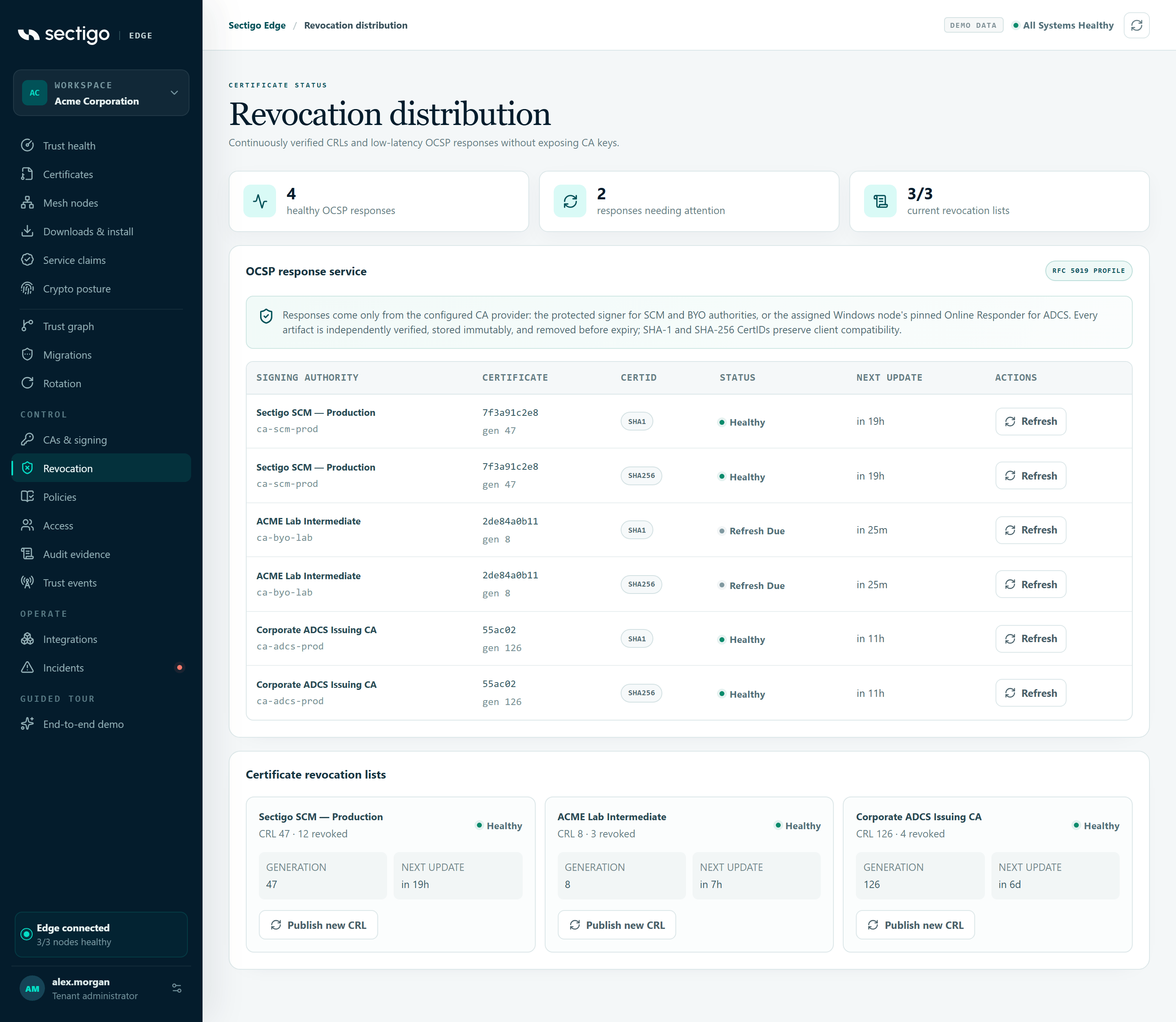
Summary counters
| Counter | Meaning |
|---|---|
| healthy OCSP responses | Responses that are current. |
| responses needing attention | Responses that are pending or refresh due. |
| current revocation lists | Healthy CRLs out of all CRLs, for example 3/3. |
OCSP response service
Responses come only from the configured CA provider: the protected signer for SCM and bring-your-own authorities, or the assigned Windows node's pinned Online Responder for Microsoft ADCS. Each certificate has two responses, one for a SHA-1 and one for a SHA-256 CertID, so that older and newer clients both work.
| Column | Content |
|---|---|
| Signing authority | The CA connector name and ID. |
| Certificate | Serial number and response generation. |
| CertID | SHA1 or SHA256. |
| Status | Response health (see below). |
| Next update | When the response must be refreshed, for example in 6h. Shows Refresh due when overdue, Local responder for ADCS responses not yet received, or Pending. |
| Action | Refresh, or Queue for ADCS. |
The table loads 100 responses at a time. Select Load more responses to see more. If no certificate has been issued yet, it shows No issued certificate status records yet.
| OCSP status | Meaning |
|---|---|
healthy | A current, verified response is published. |
pending | No response has been published yet. |
refresh due | The response is close to or past its next update and should be refreshed. |
external | An ADCS response that is waiting for the Windows node's Online Responder. |
Certificate revocation lists
One card per signing authority:
- CRL n · k revoked, or Awaiting first publication.
- Status:
healthy,pending,expiredorexternal. - Generation and Next update.
- Publish new CRL, or Local CA managed (disabled) when your local CA publishes the CRL.
Publish a new CRL
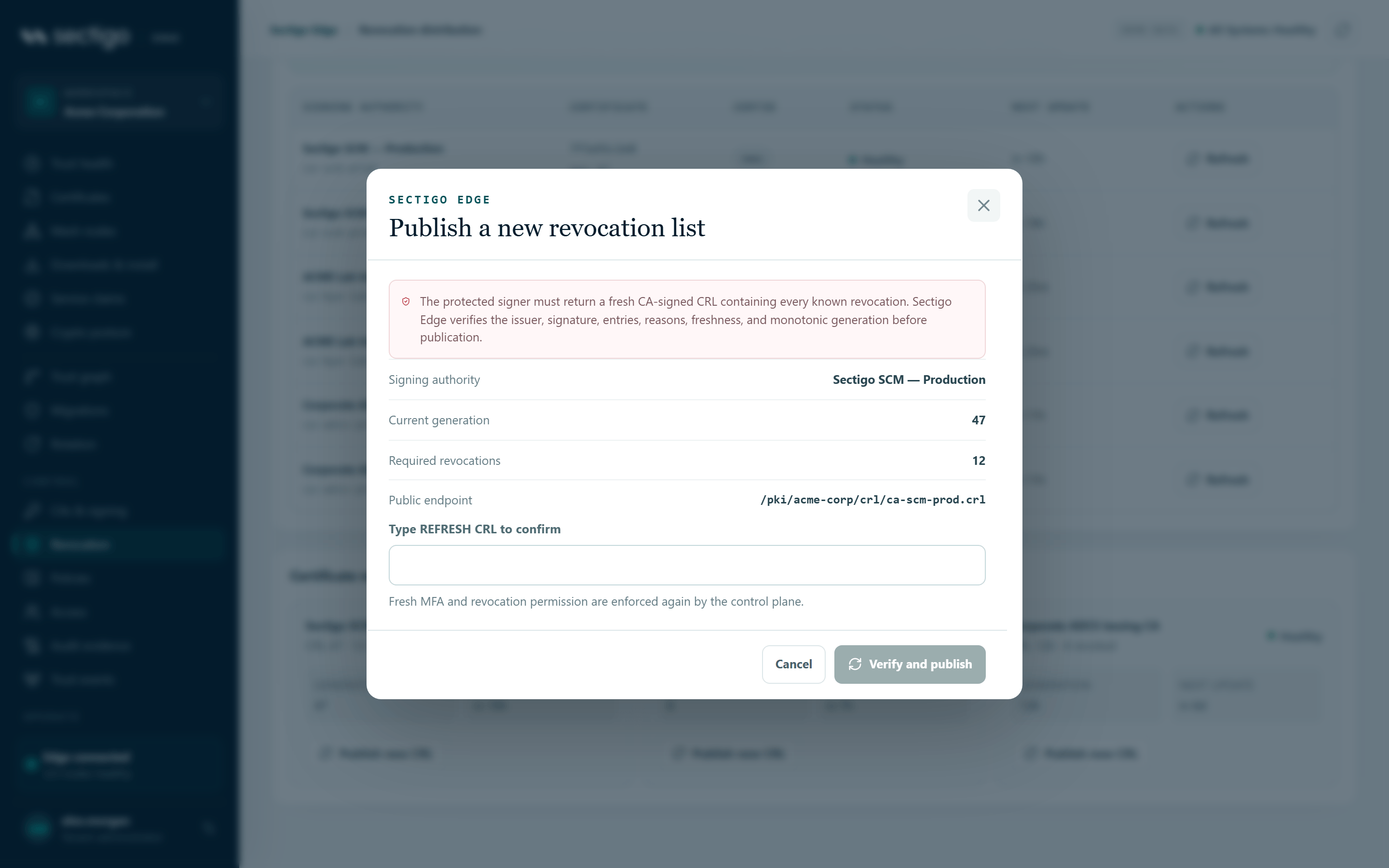
- Select Publish new CRL on the signing authority's card (or Refresh CRL on CAs & signing).
- Review the details: Signing authority, Current generation, Required revocations and Public endpoint.
- Type
REFRESH CRLexactly. - Select Verify and publish.
The console confirms: CRL generation N published and independently verified.
The protected signer must return a fresh CA-signed CRL that contains every known revocation. Sectigo Edge checks the issuer, signature, entries, reasons, freshness and that the generation only ever increases before publishing it.
The Public endpoint has the form /pki/<tenant-id>/crl/<connector-id>.crl. Relying parties can fetch it without signing in.
Refresh OCSP responses
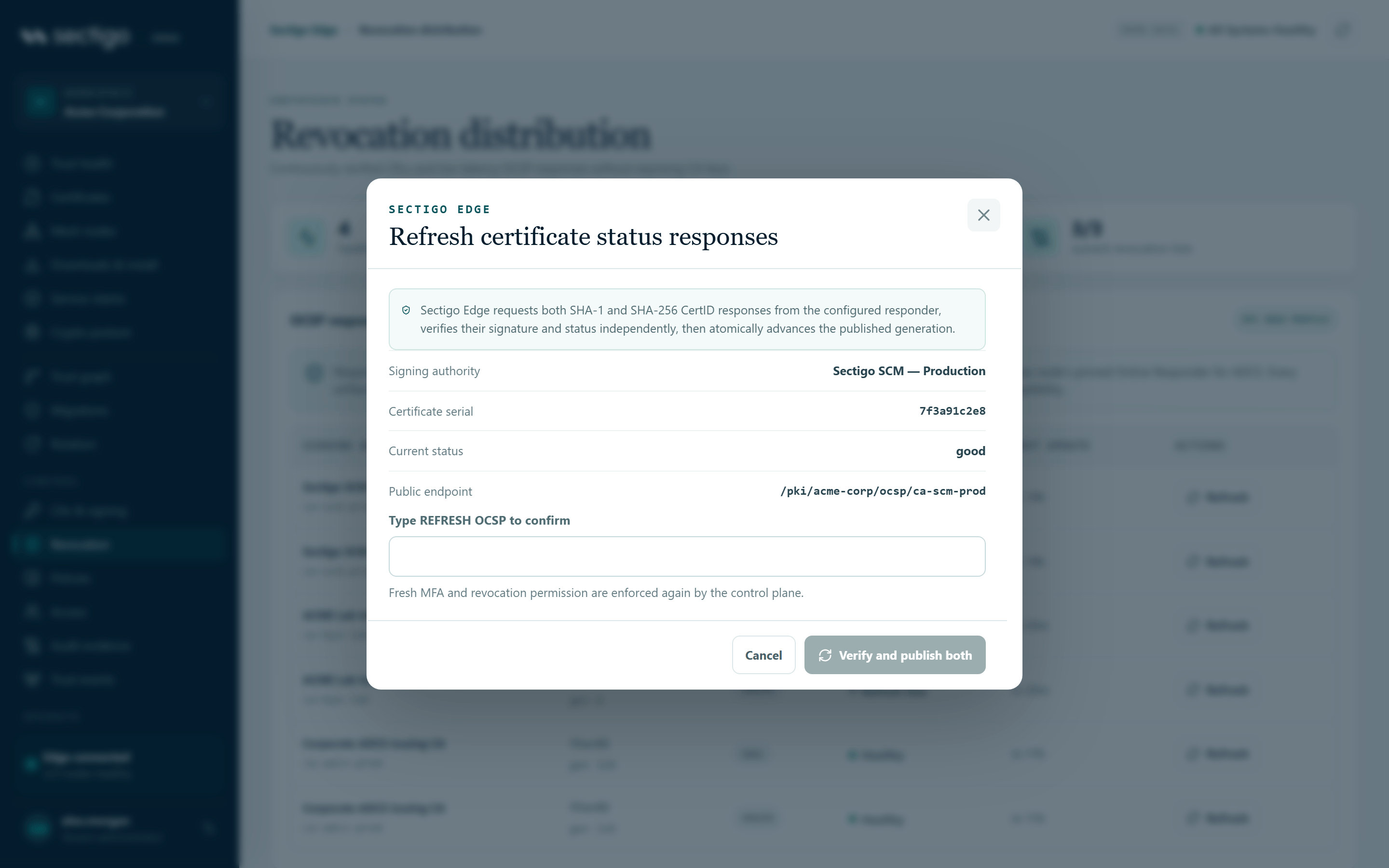
- Find the certificate in the OCSP table and select Refresh (or Queue for ADCS).
- Review the Signing authority, Certificate serial, Current status (
goodorrevoked) and Public endpoint. - Type
REFRESH OCSPexactly. - Select Verify and publish both (or Verify and queue for ADCS).
Both the SHA-1 and SHA-256 responses are refreshed together. The console confirms one of:
- SHA-1 and SHA-256 OCSP responses published for serial (serial number).
- SHA-1 and SHA-256 Online Responder work queued for serial (serial number). The assigned Windows node will publish after independent verification. (ADCS)
The Public endpoint has the form /pki/<tenant-id>/ocsp/<connector-id>.
Permissions
| Action | Roles |
|---|---|
| View revocation status | Every role |
| Publish a CRL, refresh OCSP | PKI Operator, Tenant Admin. Requires MFA within the last ten minutes; the control plane checks this again when you submit. |
See Revocation, CRL & OCSP for operating guidance.
Troubleshooting
| Symptom | Cause and fix |
|---|---|
| Verify and publish is greyed out | The confirmation text does not exactly match REFRESH CRL (or REFRESH OCSP). It is case-sensitive. |
| A CRL shows Awaiting first publication | No CRL has been published for this authority yet. The first successful issuance creates generation 1; you can also publish one manually. |
A CRL is pending after a revocation | The revocation succeeded but publication has not completed yet. It is retried automatically; you can also publish manually. |
A CRL shows expired | The CRL passed its next update. Publish a new CRL. Relying parties may reject certificates until you do. |
OCSP responses show refresh due | Select Refresh for each affected certificate. |
| Publishing fails with an MFA message | Your MFA is older than ten minutes. Sign in again. |