Crypto posture
The Crypto posture screen tells you what your estate can actually support today, so you know what can migrate before you change policy.
ConsoleCrypto postureWhat it's for
- See how many endpoints can accept a post-quantum (PQ) signature, a hybrid key exchange, or only classical cryptography.
- Decide whether it is safe to introduce or require post-quantum algorithms in Policies.
- Plan which certificate sets to move first in Migrations.
What you see
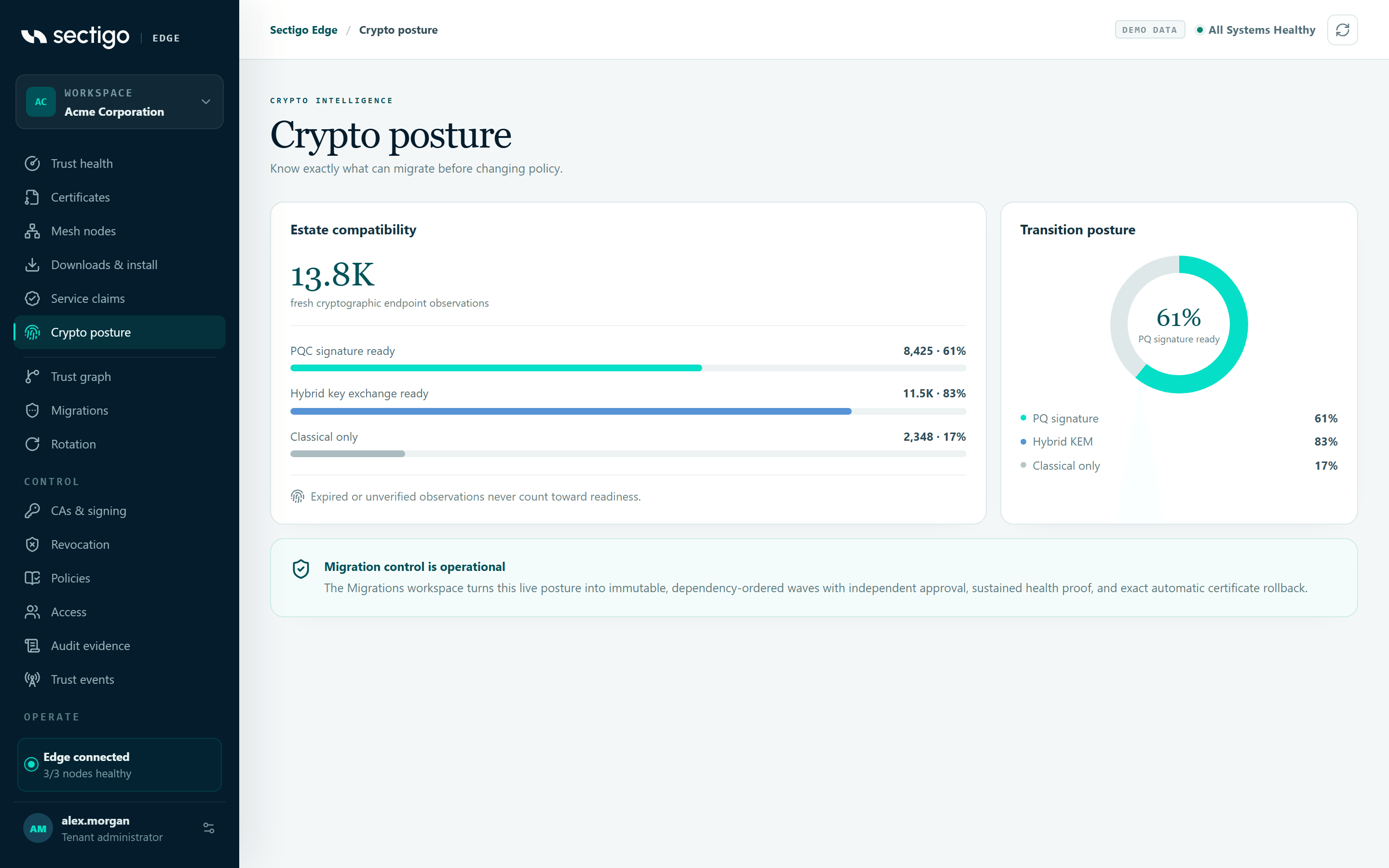
Estate compatibility
The large number is the count of fresh cryptographic endpoint observations: endpoints for which a Mesh Node or SDK has reported current capability evidence.
Below it, three bars show the count and percentage of those endpoints in each class:
| Bar | Meaning |
|---|---|
| PQC signature ready | The endpoint can accept a certificate with a post-quantum signature. |
| Hybrid key exchange ready | The endpoint can negotiate a hybrid (classical plus post-quantum) key exchange. |
| Classical only | The endpoint supports only classical algorithms. |
Expired or unverified observations never count toward readiness. An endpoint whose evidence has expired, or whose evidence was imported by an administrator rather than observed by a machine, does not make the readiness numbers look better than they are.
Transition posture
A donut chart of the PQ signature ready percentage, with a legend for PQ signature, Hybrid KEM and Classical only.
Migration control is operational
A note pointing to Migrations, which turns this posture into immutable, dependency-ordered waves with independent approval, sustained health proof and automatic exact certificate rollback.
Where the evidence comes from
Capability evidence is reported by your enrolled Mesh Nodes and by workloads using the SDK. The Trust health screen summarizes the same data as x of y endpoints are ready for the next wave, or No endpoint capability evidence yet if nothing has been reported. See Overview & trust health.
Common tasks
Decide whether to require post-quantum signatures
- Open ConsoleCrypto posture and check the Classical only bar. Any endpoint in that class cannot accept a PQ-only identity.
- Open Trust graph to see which callers depend on the services you want to change.
- Open Policies, select Configure next version, and change Transition mode or the signature choices.
- Select Assess managed estate. The assessment classifies each managed endpoint and blocks a cryptographic change while any endpoint is not compatible.
Permissions
Every role can view this screen. It has no actions of its own.
Troubleshooting
| Symptom | Cause and fix |
|---|---|
| All numbers are zero | No fresh capability evidence has been reported. Enroll a Mesh Node, or check that your nodes are healthy. |
| Readiness dropped without any change | Evidence expired. Readiness counts only current observations; nodes refresh them as they observe endpoints. |