Mesh Node overview
A Mesh Node is Sectigo Edge's customer-side trust participant. It runs on a server, a Windows host or a Kubernetes cluster that you control, and it is the only component that touches your workloads, your private keys and your local systems. The Sectigo Edge console holds desired state, policy approvals and audit evidence; the node does the local work and reports back.
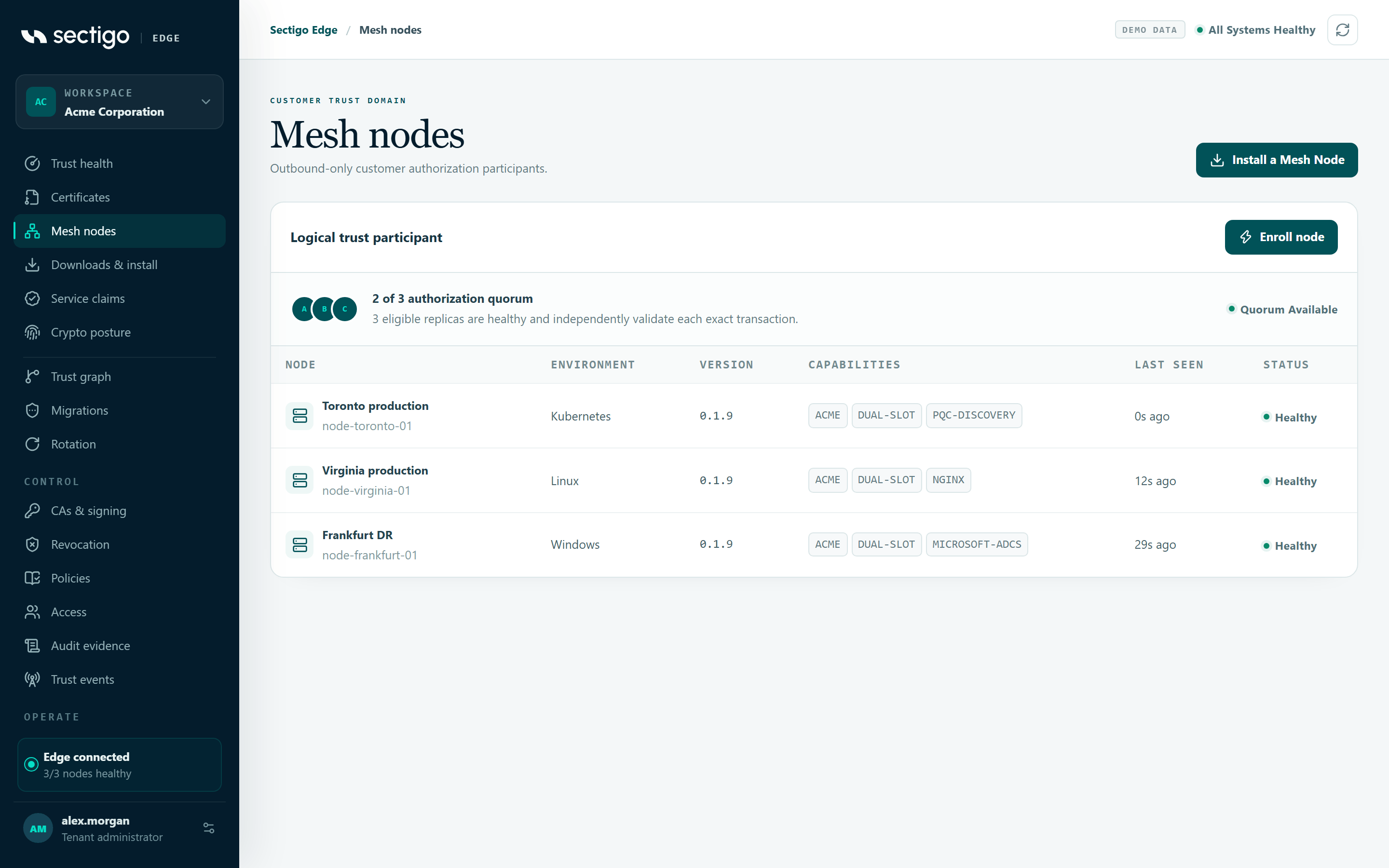
What a node does
| Responsibility | What it means for you |
|---|---|
| Holds a hardware-protected identity | Each node signs with a non-exportable key in a TPM 2.0 (Linux), the Windows Platform Crypto Provider (Windows) or a PKCS#11 HSM. A missing provider stops the node; it never silently falls back to a software key. |
| Enforces signed policy locally | The node downloads policy bundles signed by your workspace and verifies them against the pinned policy trust file before using them. An expired or unverifiable policy blocks issuance. |
| Approves issuance as part of a quorum | Every certificate request is evaluated by the node and by Sectigo Edge. Redundant nodes form the customer side of the approval quorum shown under ConsoleMesh nodes. |
| Serves certificates to workloads | Built-in ACME (RFC 8555) and, when enabled, EST (RFC 7030), the Kubernetes CSR signer and the Microsoft ADCS adapter. |
| Deploys and rotates certificates | Adapters for NGINX, Apache HTTP Server, Java PKCS#12 keystores and HashiCorp Vault KV v2 stage a new certificate, verify that the service is serving it, and roll back automatically on failure. |
| Keeps a tamper-evident audit log | Every decision is appended to a hash-chained, node-signed audit log, optionally exported to your SIEM over OpenTelemetry. |
How a node communicates
- Outbound only. The node opens HTTPS connections to the Sectigo Edge API (
edge_urlin its configuration). It never needs an inbound port from the internet. Whenrequire_pqc_transportistrue, the node refuses any connection that does not negotiate TLS 1.3 with theX25519MLKEM768hybrid post-quantum key exchange. - Mutually authenticated. Outbound calls present your organization-issued client certificate (
edge-client.crt) and are signed with the node's hardware key. - Polling for desired state. Every
poll_interval_secondsthe node fetches policy updates, integration desired state and pending commands (such as a manual promotion you started from ConsoleRotation). - Reporting results. The node reports integration health, issuance results and rotation outcomes. The console only changes state after the node's signed report arrives.
Locally, the node exposes a TLS 1.3 API on listen_address (the console-generated configuration uses 127.0.0.1:9443). Workloads authenticate to it with an X.509 SPIFFE identity (an SVID) that chains to your workload trust bundle.
| Local endpoint | Purpose | Client certificate |
|---|---|---|
GET /healthz | Node health, policy version and digest, audit head, per-integration health | Not required |
GET /metrics | Prometheus counters (requests, decisions, issuances, promotions, sync results) | Not required |
GET /.well-known/sharppki | Signed node discovery document | Not required |
GET /v1/integrations/status | Local adapter health without credentials | Required (workload SVID) |
GET /v1/events | Signed, low-authority trust-event feed | Required (subscriber prefix) |
/acme/directory and below | Built-in ACME service | Required (workload SVID) |
/.well-known/est/... | EST service (when enabled) | Required (workload SVID) |
/ui/ | Read-only local operations UI (when enabled) | Required (operator prefix) |
How certificates are delivered and rotated
For adapters that activate certificates (NGINX, Apache, Java PKCS#12 and HashiCorp Vault) the node uses dual-slot rotation:
- The node generates the private key and CSR locally and records a durable, private intent so the transaction survives a crash or restart.
- After both trust domains approve, the issued certificate is written to a new, immutable generation while the current certificate keeps serving.
- The node switches the service to the new generation (reload, graceful restart or pointer move) and calls the exact HTTPS health URL for that rotation. The health check passes only if the service returns 2xx and presents the exact new leaf certificate.
- On success the previous generation is kept for the configured rollback window. On any failure the node restores and reloads the previous generation automatically.
Promotion is either automatic after a healthy check (automatic_after_health) or manual from ConsoleRotation with Verify & promote, depending on the signed rotation settings in your policy. See Zero-downtime rotation for the operational runbook.
Integration lifecycle in one paragraph
You configure an integration in ConsoleIntegrations by enabling it, choosing target nodes, a certificate profile and a non-secret local adapter reference such as local/nginx-production. The assigned node matches that reference and profile against its own config.json, applies the desired-state revision and reports healthy or degraded with an error code. Passwords, tokens and private keys never leave the node. See Integrations for every adapter.
Where to go next
- Requirements — check your host before installing.
- Enrollment — how the one-time, signed bootstrap package works.
- Configuration reference — every
config.jsonkey.