Incident response & break-glass
When something goes wrong, such as a suspected key compromise, an untrusted CA or abnormal issuance, Sectigo Edge gives you an issuance kill switch. Pausing takes effect immediately and needs one authorized person. Resuming always needs two different people. Existing certificates keep serving throughout.
Prepare before an incident
| Do this now | Why |
|---|---|
| Assign the Break-glass Operator role to at least two separately controlled people or SCIM groups. | Resuming needs two different enterprise identities. A shared admin account cannot satisfy that. |
| Make sure those people can complete MFA quickly. | Every break-glass action needs an MFA sign-in from the last ten minutes. |
Alert on issuance.paused, break_glass.resume_requested, break_glass.resume_expired and issuance.resumed. | You need to know immediately when issuance stops or someone tries to restore it. See Monitoring & alerts. |
| Rehearse pause, resume request, second approval and request expiry in every disaster-recovery drill. | Test the workflow before you depend on it. |
The Break-glass Operator role grants break-glass, read and audit access only. It does not grant CA, policy, node, user, issuance, revocation or rotation administration. See Access and roles.
Triage: what kind of incident is it?
| Situation | First action | Then |
|---|---|---|
| One certificate's private key may be exposed | Revoke it with reason Key compromise, and keep Promote healthy standby first selected. | Rotate the service. Check the audit trail for misuse. |
| Many keys, a Mesh Node host or an issuing path may be compromised | Pause issuance (below). | Investigate, revoke the affected certificates, recover the nodes. Then run a two-person resume. |
| A CA must no longer be trusted | Pause issuance. | Revoke what it issued, then move services to a different CA with a cryptographic migration. |
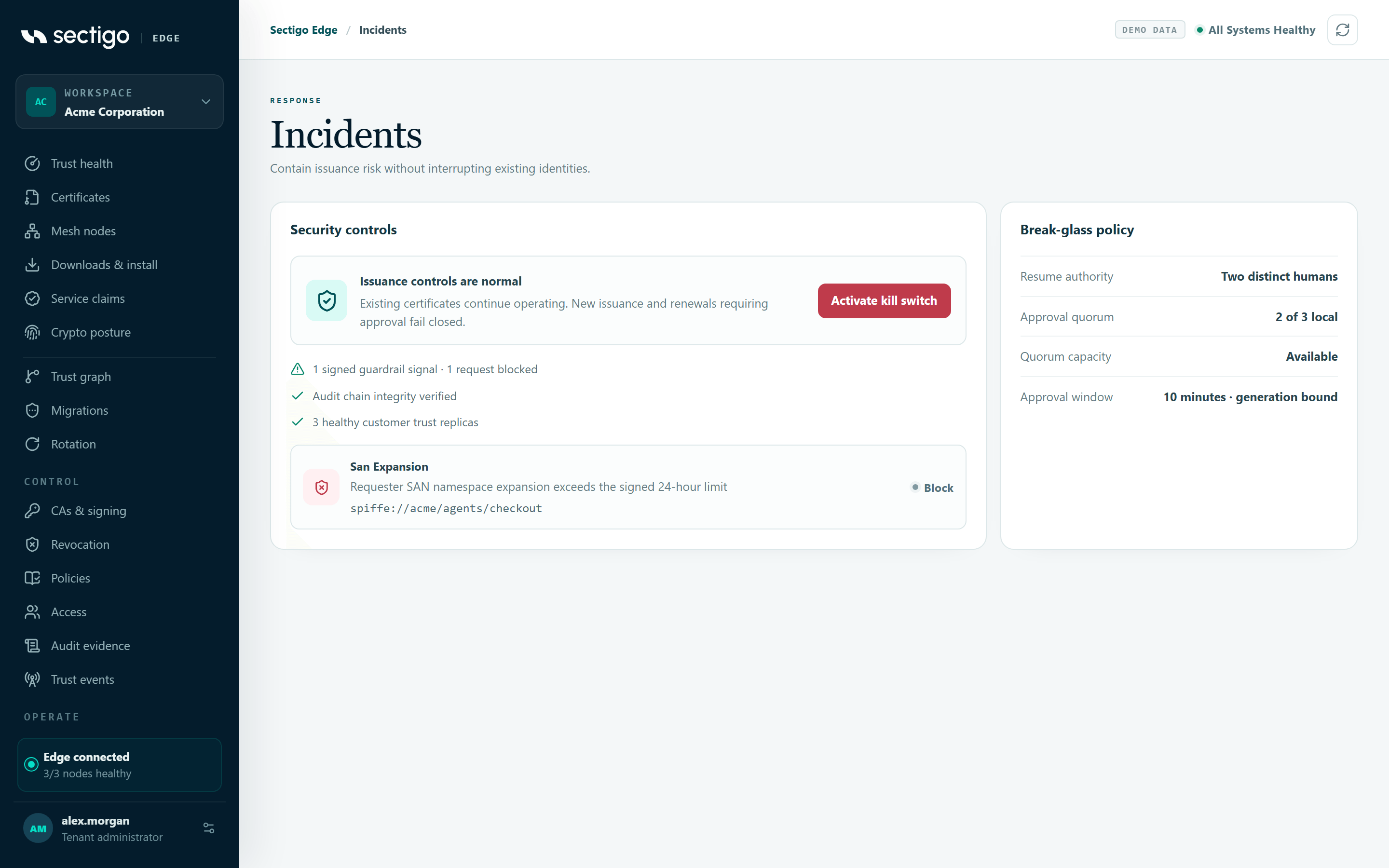
| Issuance guardrails report unusual requests | Check the findings under ConsoleIncidents. | Pause if the requester may be compromised. Tighten the guardrails. |
| A migration ended in failed | Issuance has already been paused for you. | Find out what is serving, then resume with two people. |
Pause issuance (kill switch)
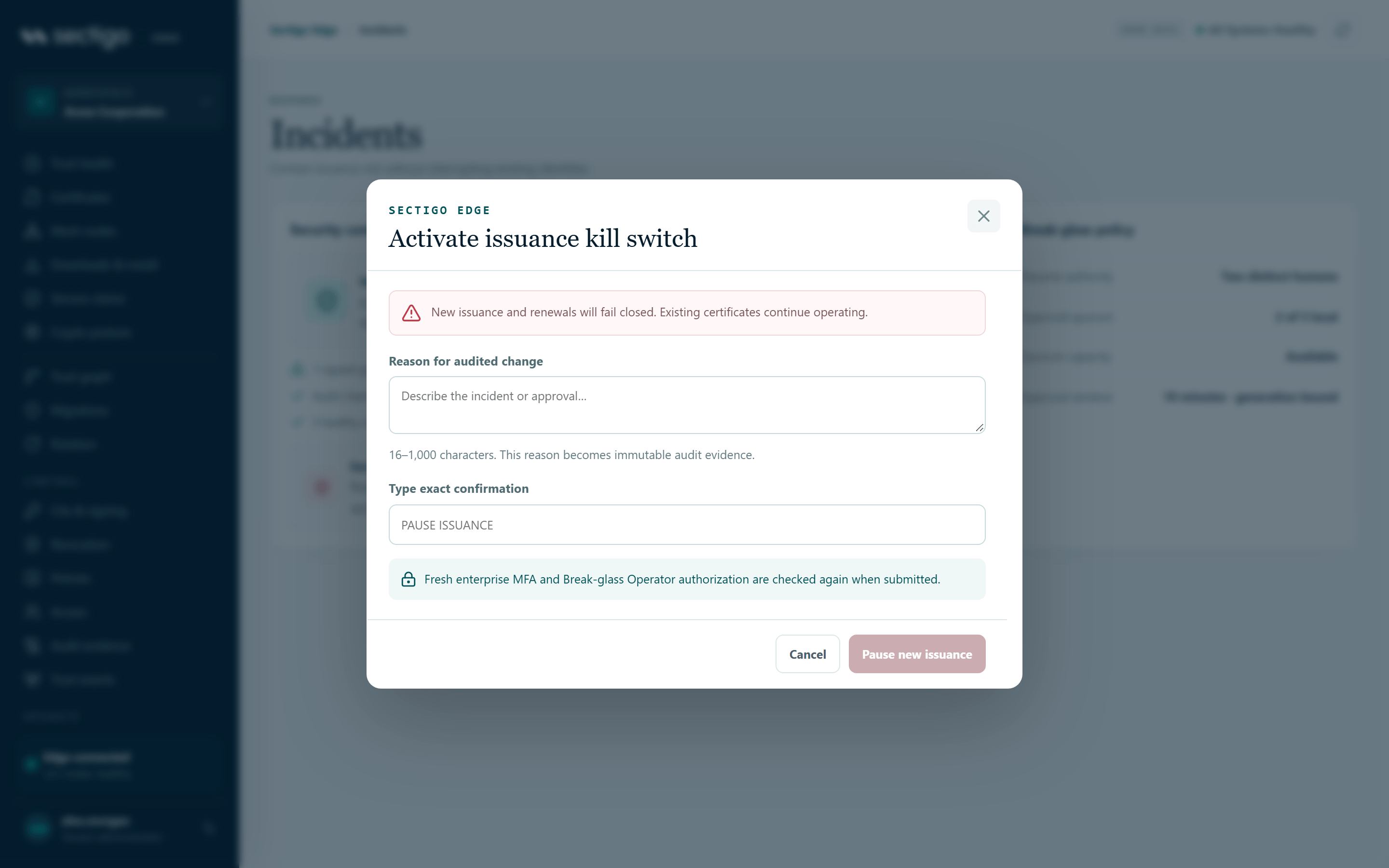
- Open ConsoleIncidents and select Activate kill switch.
- In Reason for audited change, describe the incident in 16–1,000 characters. This reason becomes permanent audit evidence.
- Type
PAUSE ISSUANCEin Type exact confirmation. - Select Pause new issuance.
What happens next:
- The top bar and Trust health show issuance paused. The Incidents card reads New issuance is paused.
- New issuance and renewals that need approval fail with HTTP
423and the codeissuance_paused. - Existing certificates keep working, and you can still revoke certificates.
- Mesh Nodes and trust-event subscribers receive
incident.issuance_paused. Treat it as a signal to refresh state, not as permission to act. - A new pause generation starts, and any pending resume request is cancelled.
Resume issuance (two people)
There is no single-click unpause. Trying to resume through the kill-switch API returns resume_requires_dual_approval.
- First operator, request. In ConsoleIncidents, select Request guarded resume. Enter the reviewed recovery reason (16 characters or more), type
REQUEST ISSUANCE RESUME, and select Request independent approval. - The card now shows RESUME REQUEST · GENERATION n with the status 1 of 2 approvals. The request expires after ten minutes.
- Second operator, approve. A different person with the Break-glass Operator role signs in with fresh MFA and opens ConsoleIncidents. They select Independently approve resume, review the requester and reason, type
APPROVE ISSUANCE RESUME, and select Approve and resume issuance. - Issuance resumes. The resume state, the final request record and its audit event are committed together, as one operation.
If you created the request, the console disables approval in your session and shows Awaiting another operator.
| Rule | Effect |
|---|---|
| Requester and approver must be different enterprise identities | Self-approval is rejected with break_glass_self_approval. A second email address for the same person does not help. |
| The request expires after ten minutes | Approval fails with break_glass_expired. Create a new request. |
| The request is tied to one pause generation | If someone pauses again, earlier requests fail with break_glass_generation_stale. |
| Only one pending request at a time | A second request returns break_glass_already_pending. |
| Fresh MFA and the Break-glass Operator role are checked again on submit | Stale sessions fail with step_up_required. |
After the incident
- Export a signed audit checkpoint and evidence for the affected transactions. Keep them with your incident record. See Audit & evidence export.
- Review the resume-request history.
GET /api/v1/break-glass/resume-requestsreturns the current pause generation and the 50 newest requests, with their outcomes: pending, approved, expired or cancelled. - Confirm that the CRLs and OCSP responses for the revoked certificates are
healthyunder ConsoleRevocation. - If guardrails were in monitor mode during the incident, consider moving them to enforce mode. See Policy changes & approvals.
Audit events
| Event | Meaning |
|---|---|
issuance.paused | The kill switch was activated. Records the reason and the actor. |
break_glass.resume_requested | The first operator requested a resume. |
break_glass.resume_expired | A request expired without approval. |
issuance.resumed | The second operator approved, and issuance resumed. |