Cryptographic migrations
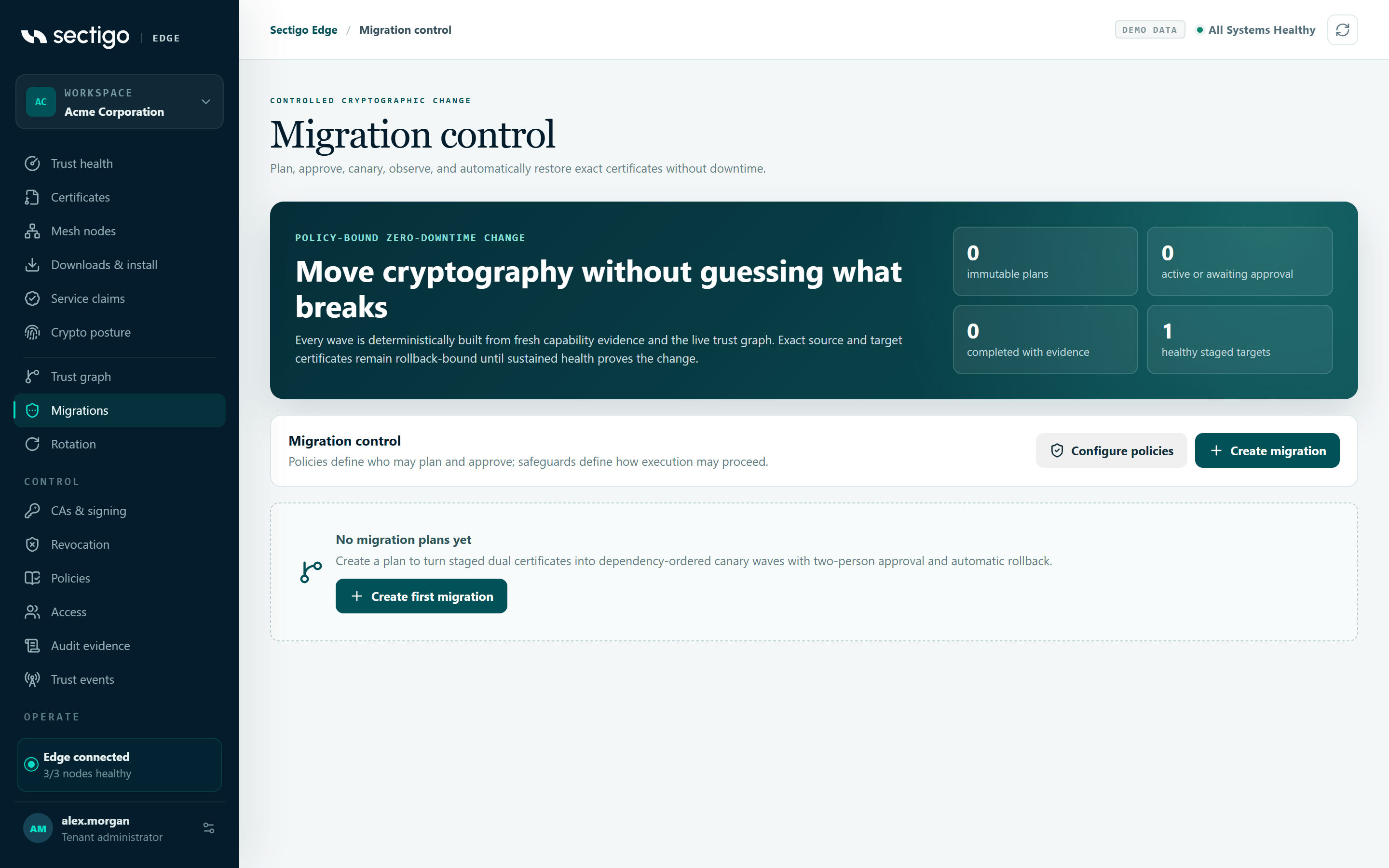
A migration moves many services from their current certificates to already-staged replacements, for example a new algorithm or a new issuing CA. It runs in dependency-ordered waves, starts with a canary, keeps checking health, and rolls back automatically. Plans are immutable: once created, a plan is a fixed commitment to the policy, dependency graph, capability evidence, certificates and maintenance window as they were when you planned it. If any of those change, the plan stops rather than quietly doing different work.
Before you plan
A migration only promotes certificates that are already staged. Prepare each service first:
| Prerequisite | Why | How to check |
|---|---|---|
| Each certificate set has an active certificate and a healthy staged standby | Migration promotes the standby. It never issues during execution. | ConsoleRotation shows both slots. The planner lists only eligible sets as healthy staged targets. |
| The set uses NGINX, Apache, Java PKCS#12 or HashiCorp Vault, and the adapter is healthy at its current revision | Only these adapters have qualified generation, health, rollback and crash-recovery behaviour. | ConsoleIntegrations |
| Fresh, machine-observed capability evidence covers the whole maintenance window for every affected endpoint | Sectigo Edge must prove that each endpoint can handle the target cryptography. | ConsoleCrypto posture. Imported evidence is not enough. |
| The dependency graph is current | Callers and providers must be ordered correctly. | ConsoleTrust graph |
| The current policy's impact assessment is non-blocking | Plans commit the approved policy-impact digest. | ConsolePolicies |
| Each target has an HTTPS health URL covered by its staged certificate's SANs | The node proves health against the exact target certificate. | Your service's health endpoint |
| No target already belongs to another active migration | A certificate set can be locked by only one plan. | ConsoleMigrations |
If the planner shows No eligible staged certificate sets, stage a healthy standby on a supported integration first.
Plan settings
| Setting | Range | What it controls |
|---|---|---|
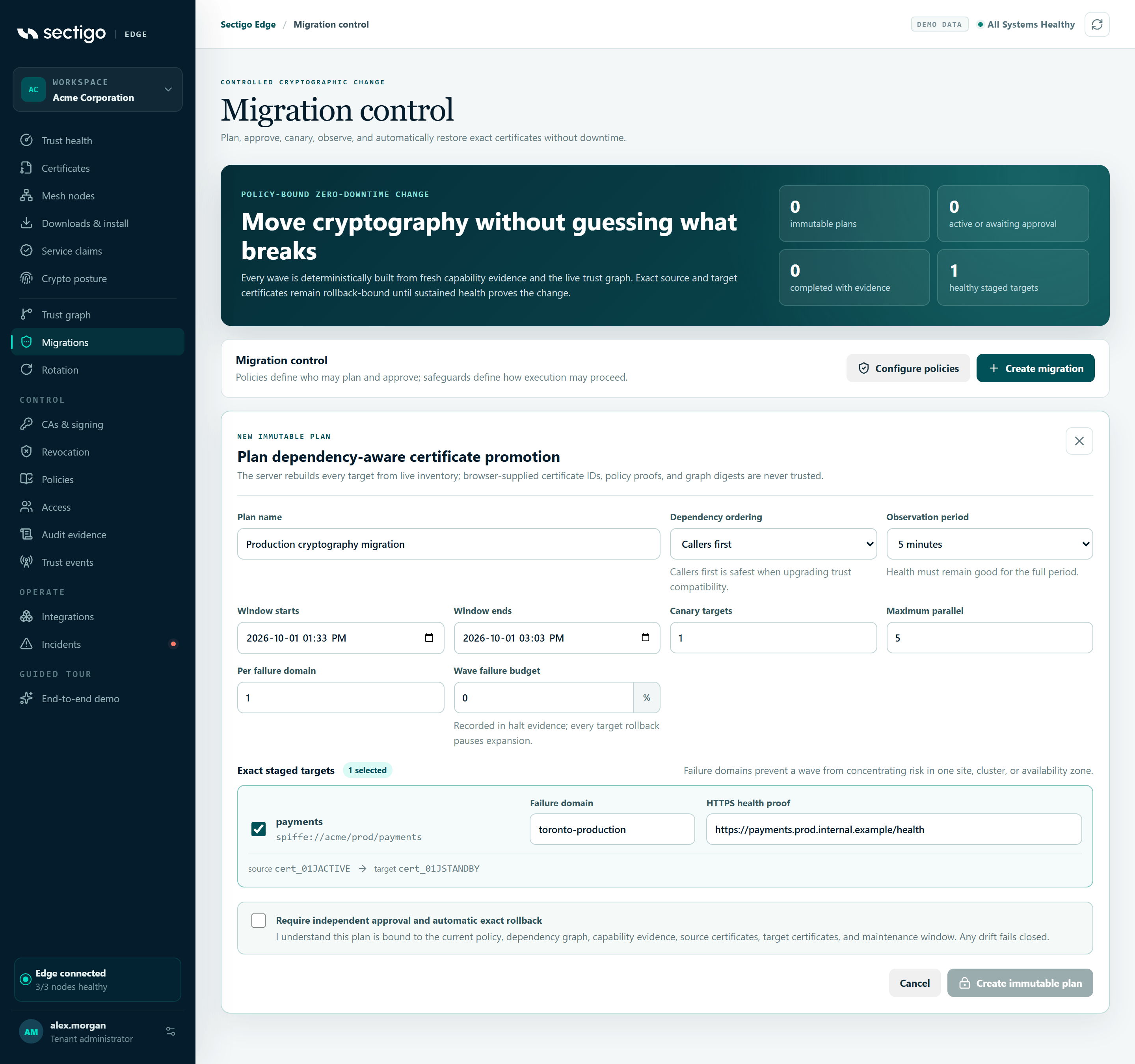
| Dependency ordering | Callers first (dependents_first) or Providers first (providers_first) | The order of layers in the dependency graph. Callers first is safest when you upgrade trust compatibility. Choose providers first only after an explicit review. |
| Window starts / Window ends | Must end in the future. At most 7 days long. | The maintenance window. A plan can start only inside it, and node commands cannot outlive it. |
| Canary targets | 1–50 | How many targets go first, on their own. |
| Maximum parallel | From the canary size up to 500 | The largest number of targets in one wave. |
| Per failure domain | 1–50 | The most targets one wave may take from one site, cluster or availability zone. |
| Observation period | 30 seconds, 5 minutes, 15 minutes or 1 hour in the console (the API accepts 30 seconds to 24 hours) | How long health must stay good after promotion before the next wave is unlocked. |
| Wave failure budget | 0–50 % | Recorded in the halt evidence. Any target rollback pauses expansion. |
| Automatic rollback | Always on | Cannot be disabled for migrations. |
For each target, you also choose a Failure domain label (for example production-a) and an HTTPS health proof URL.
Strongly connected dependency cycles always move together. The planner never splits a cycle across waves, so a large cycle can make one wave bigger than you expect.
Run a migration
- Create the plan. Open ConsoleMigrations and select Create migration. Fill in the settings and select targets, then confirm Require independent approval and automatic exact rollback. The server rebuilds the plan from live state and returns a plan digest. The plan is now awaiting approval.
- Approve it, as a different person. A second administrator opens the plan, reviews the waves and digest, and selects Approve exact digest. The proposer's own session cannot approve. The button says A different immutable user must approve.
- Start it inside the window. Inside the maintenance window, select Start first wave. Outside the window the button is disabled, and the API returns
migration_outside_window. - Watch the canary. Each target moves through
commanded→promoted→observing→healthy. A healthy canary unlocks the next wave. - Let the waves complete. The plan is completed when every target is healthy, and the summary counts it as completed with evidence.
Creating, approving and starting a plan each need fresh MFA, a current provisioned (SCIM) identity, and policy-management permission. Each step also asks for an exact confirmation: CREATE MIGRATION, APPROVE MIGRATION and START MIGRATION.
What each Mesh Node does
For every target, the node re-fetches the exact source and target certificates, re-checks its current signed policy, and confirms that the approved source is what is actually active. Only then does the adapter promote the target. After the observation period, the node opens a fresh TLS connection, without proxies or ambient credentials, and checks that the exact target leaf is being served.
When a target fails
A failure in any wave triggers the same sequence. You do not have to do anything to start it.
| Step | What happens | Plan / wave status |
|---|---|---|
| 1 | The unhealthy target's adapter restores the exact source certificate and verifies it over a new connection. | Wave rolling_back |
| 2 | Sectigo Edge waits for every outstanding observation in the wave. Each peer that was already promoted gets a compensating rollback to its own exact source. | Wave rolling_back |
| 3 | Once every promoted target in the wave is proven back on its source, the plan stops. | Plan paused, Execution halted with the reason |
| — | If a rollback cannot be verified, a recovery command is missing or has expired, or an unknown certificate is found active | Plan failed, and tenant issuance is paused |
If the plan goes to failed, Sectigo Edge pauses all new issuance for the tenant, because it can no longer prove what is serving. Follow Incident response & break-glass to investigate and resume.
Recover a paused migration
A safely rolled-back plan stays locked. There is no unpause switch. Recovery closes the incident with evidence. You then create a new successor plan; the old plan is never resumed.
- Fix the cause. Find out why health failed: the service, the network or the certificate.
- Re-stage every target. On each assigned Mesh Node, stage the exact target certificate again, so that the node reports a fresh local generation and a non-failed staged state. After a rollback, the node re-advertises the target slot as a candidate, but it does not claim the target is serving.
- Freeze the recovery evidence. In the paused plan, write a Verified remediation statement (8–500 characters) and select Freeze recovery evidence. Every command in the plan must be finished first.
- Approve the recovery, as a different person. A second administrator reviews the restored-state digest and selects Approve exact recovery digest before the request expires. The plan becomes
cancelled, and its targets are released. - Create the successor. Select Create verified successor. The new plan rebuilds policy, topology, capabilities, certificates and waves from current state. Its digest commits to both the predecessor plan and the approved recovery, so you can always prove why it exists.
The recovery request and approval use the confirmations REQUEST MIGRATION RECOVERY and APPROVE MIGRATION RECOVERY.
Errors you may see
| Code | Meaning | What to do |
|---|---|---|
migration_evidence_incomplete / migration_capability_evidence_invalid | An endpoint lacks current, compatible, machine-observed capability evidence for the whole window. | Refresh the capability evidence, or shorten the window. |
migration_standby_not_ready | A set does not have exactly one active and one healthy staged certificate. | Stage the target again. See Zero-downtime rotation. |
migration_health_url_forbidden | The health URL host is not in the staged certificate's SANs. | Use a host the certificate covers. |
migration_window_too_short | The window leaves too little time for health checks and rollback. | Widen the window or shorten the observation period. |
migration_target_locked | A set already belongs to another active migration. | Finish or recover that plan first. |
migration_separation_of_duties | The proposer tried to approve. | Ask a different administrator. |
migration_policy_changed / migration_evidence_changed / migration_target_changed | Something drifted after planning. | Create a new plan. Old plans are never silently rebuilt. |
migration_plan_expired / migration_outside_window | The evidence or the window has expired, or you started outside the window. | Create a new plan with a current window. |
migration_recovery_restage_required | A node has not re-staged the exact target. | Re-stage on the assigned node, then retry. |
migration_recovery_commands_pending | Commands are still in flight. | Wait for every command to reach a final state. |
migration_recovery_separation_of_duties | The recovery requester tried to approve. | Ask a different administrator. |
Practice in the demo
The console demo runs the whole lifecycle in your browser, including Simulate failed canary, recovery and a successor plan. It is labelled as demo data and never creates production signatures, audit records or node commands.